Variables for SEPA files
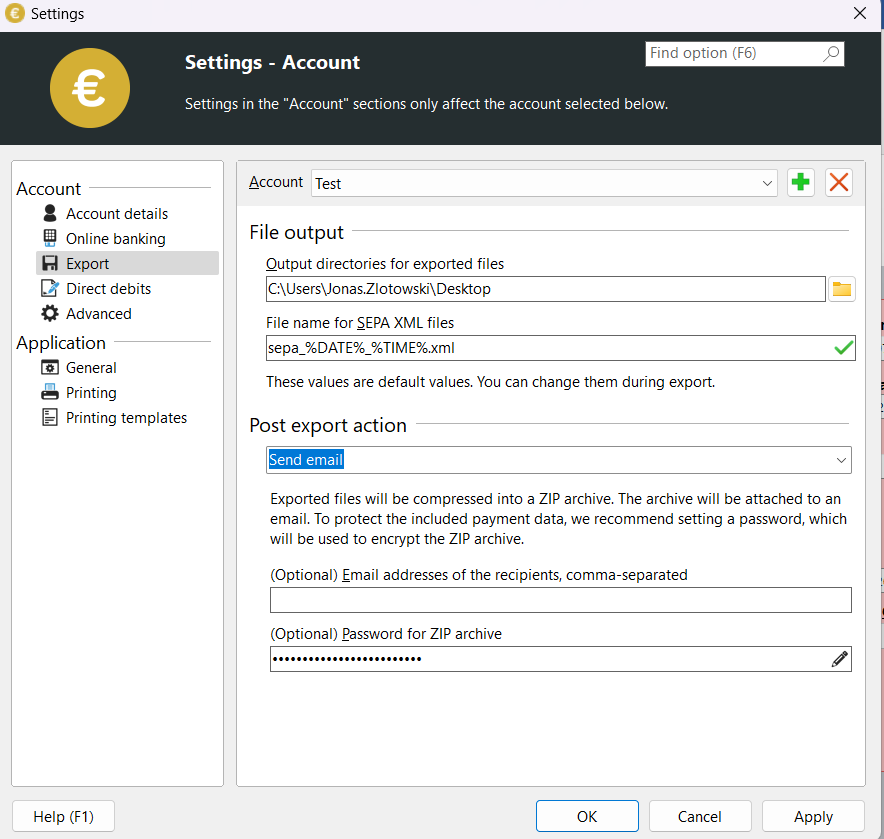
Since version 5.4 it is possible to add system variables to the name of the exported SEPA file. To do this, change the default file name in the Settings under Export Settings.
System variables are noted with a leading and trailing percent sign (%) as shown in the image below.
You can also use these system variables when calling them up via the Command Line.
Possible, useful system variables for file names
The following system variables are always available on all Windows systems:
%DATE%Current system date
%TIME%Current system time
%RANDOM%Random number from 0 to 4,294,967,295
As an experienced user, you can also use self-defined variables.