Online banking
In this area you can activate or deactivate your online banking.
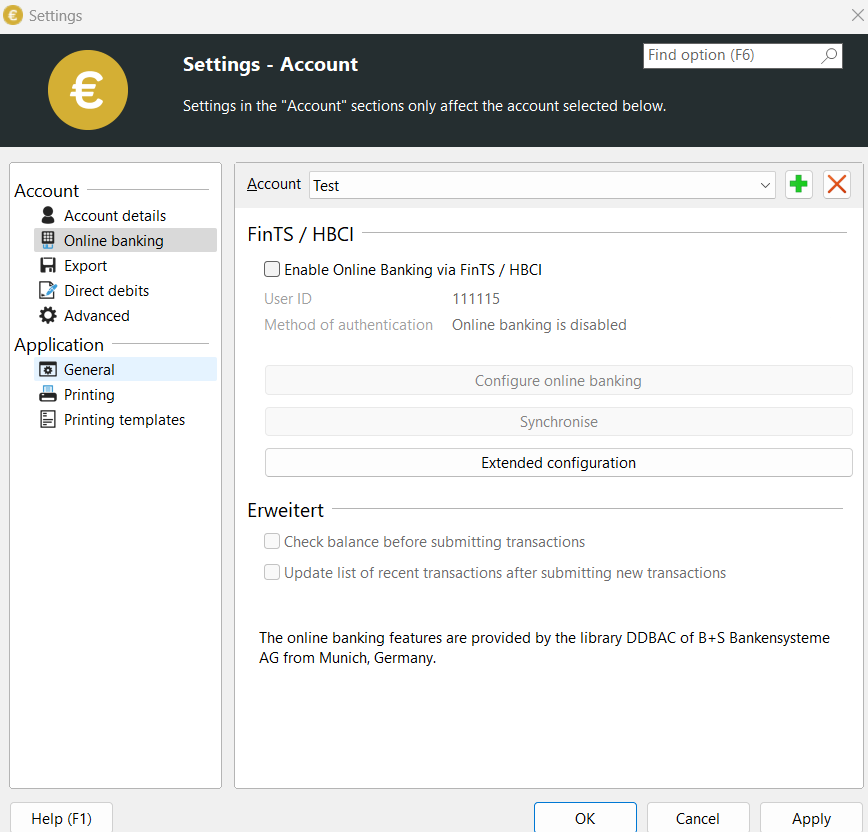
If you activate the “Use FinTS or HBCI” option, the online banking wizard opens. Use the “Set up access again” option to delete your current settings and restart the wizard.
SEPA-Transfer Check whether your account has sufficient funds before transferring money. If you do not want this or this function is not supported by your bank, please uncheck “Check account balance before transferring online banking transfers”.
If the “Update account transactions after online banking transfer” option is activated, the latest transactions will be downloaded with every online banking transfer and saved in the SEPA-Transfer database on your computer. The transactions can be viewed and searched using the Transactions.