Contents Menu Expand Light mode Dark mode Auto light/dark, in light mode Auto light/dark, in dark mode Skip to content
SEPA-Transfer
Light Logo Dark Logo
SEPA-Transfer
  • Overview
  • What’s new?
  • Frequently Asked Questions / Knowledge Base
  • User Interface
    • Main window
    • Main menu
    • Settings Dialog
      • Account Data
      • Online banking
      • Export
      • Direct Debits
      • Advanced
      • General Settings
      • Print options
      • Print templates
    • File export / transfer
    • SEPA mandates
    • Booking history
    • The cash discount dialog
    • Template management
      • Edit templates
    • Address window
  • Working with SEPA
    • Introduction
    • Setting up an account
    • Transfer via online banking
    • Intelligent pasting
    • Backing up and restoring the database
    • Templates
    • SEPA Direct Debits and Mandates
    • DTA / SEPA conversion
    • Network and multi-user operation
    • Retrieve Transactions / Balance
    • POS Terminal - Read EC Cards
    • Purpose Variables
  • Importing Data
    • Import Wizard
    • Import from Files (Excel, CSV, Access) and Databases
    • Import from DTA files
    • Import from SEPA files
    • Import from ISO-20022 compliant files
  • Exporting Data
    • Excel export
    • Creating SEPA Files
    • Transfer via e-mail
    • Transfer via HBCI
    • Variables for SEPA files
    • SEPA support
  • Online Banking
    • Quick start online banking
    • HBCI/FinTS
    • Set up PIN/TAN access
    • Setting up chip card access
    • Homebanking contacts Troubleshooting
  • Command Line
    • Command Line Parameters
    • Automation Through Scripts
    • Return Codes
    • Examples
  • Miscellaneous
    • Card reader
    • Shortcuts / Quick Access Keys
    • Notes on Direct Debits
    • Notes on SEPA Purpose Codes
    • Problem solutions
  • Third-Party Licenses
  • Copyright & Contact
Back to top

Print templates

SEPA-Transfer offers various templates for bank transfers. You can select the one you use here.

You can also customize the text that is printed on SEPA direct debit mandates. However, you should note that mandates must contain prescribed minimum information.
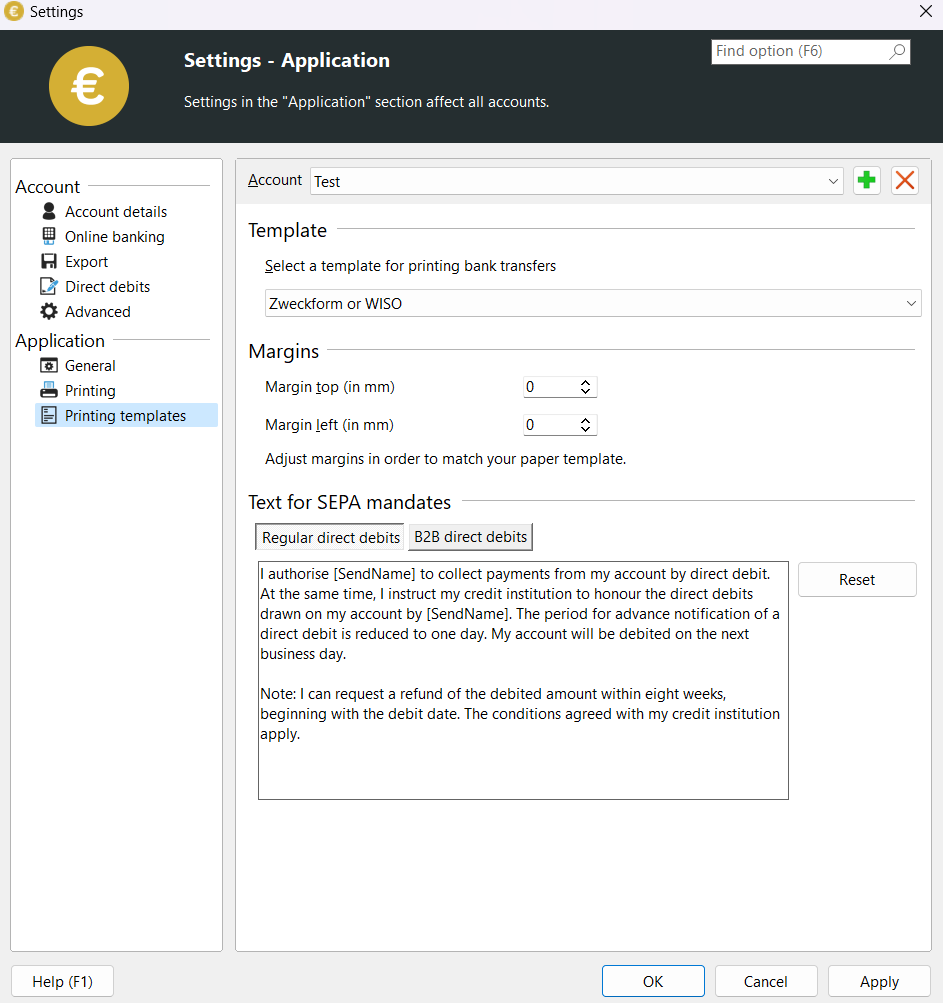
Print templates settings
Next
File export / transfer
Previous
Print options
Copyright © 1995 - 2026 JAM Holding GmbH
Made with Sphinx and @pradyunsg's Furo